(909) 709-2596
Call Us Today!
How to Pay Your Invoice
Please follow these steps to complete your payment securely via Stripe.
1. Access the Payment Link
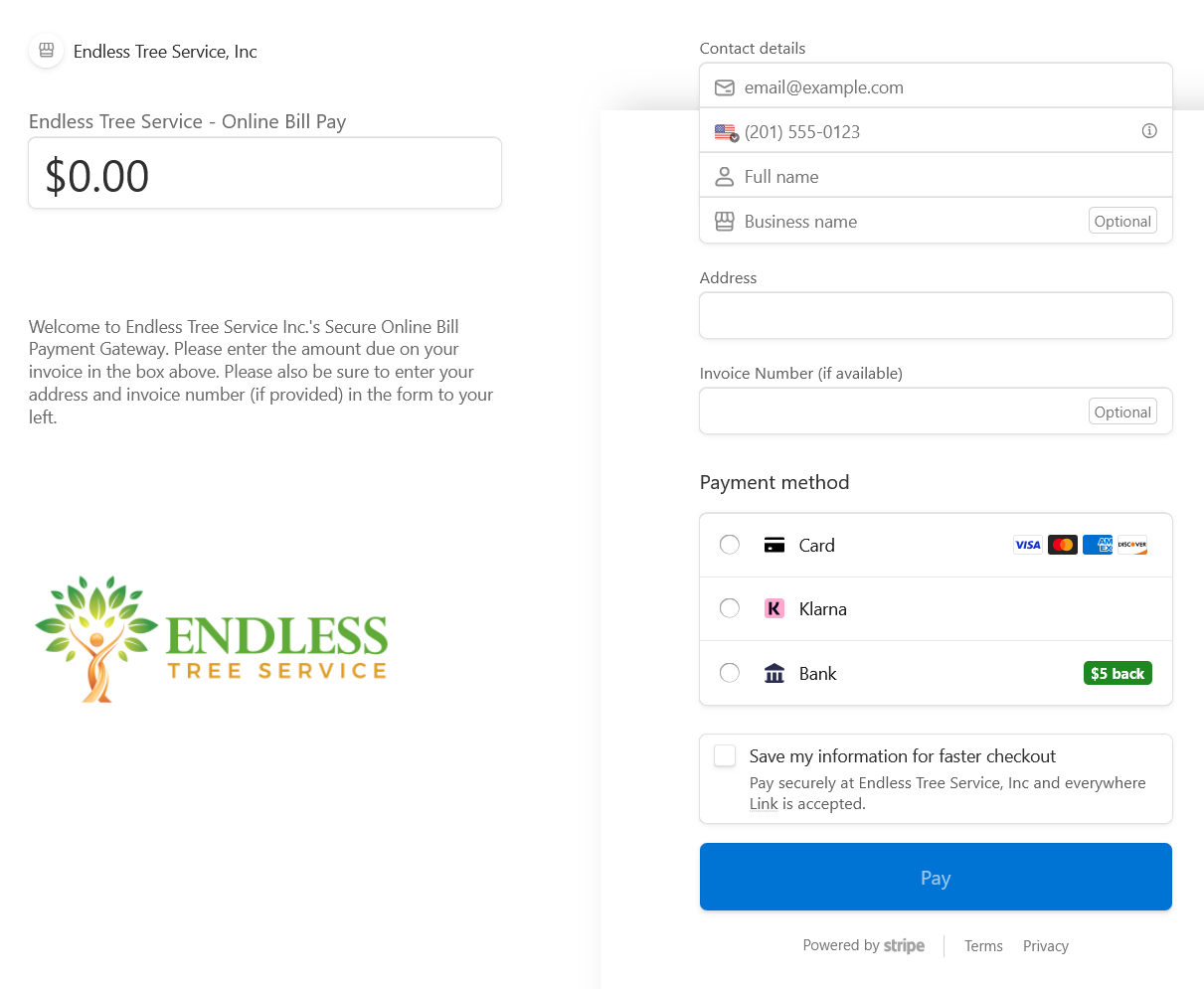
Click the [Pay My Bill] button or follow the link provided in your email. You will be redirected to our secure Stripe checkout page.
2. Enter the Payment Amount
At the top of the page, you will see a field for the Price or Amount.
-
Refer to your invoice for the total balance due.
-
Type the exact amount into the field (e.g.,
150.00).
3. Provide Your Information
To ensure your payment is credited to the correct account, please fill out the following sections:
-
Email: Enter the address where you would like to receive your receipt.
-
Shipping/Billing Address: Ensure this matches the address associated with your payment method.
-
Invoice Number: Locate the "Invoice Number" field (usually under 'Additional Information'). Please enter your specific invoice number here so we can mark your account as paid.
4. Select Payment Method
Choose your preferred way to pay:
-
Credit/Debit Card: Enter your card number, expiry date, and CVC.
-
Digital Wallet: You may see options for Apple Pay or Google Pay if they are enabled on your device.
5. Confirm and Pay
Review the details one last time and click the Pay button. Once the transaction is successful, you will see a confirmation screen and receive an automated receipt via email.